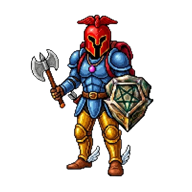
Search the Play Store for Tibia and you get TibiaME, clones and unofficial APKs. None of them are what you remember. This guide shows the clean way: a classic 7.6-style world that installs as an app straight from Chrome, plus the settings that make it feel good on a touchscreen.
- No official Tibia APK exists; do not trust ones that claim to be.
- Install from Chrome with Add to Home screen or Install app.
- Play in landscape for hunts, portrait for managing loot.
- Healing on hotbar slot 1, always.
On this page
01Is there a Tibia APK for Android?
No official one. CipSoft does not publish Tibia for Android. The APKs you find on forums and download sites are unofficial builds or OT server clients.
02Install the classic world on Android
- Open ChromeChrome gives the best result. Samsung Internet works too.
- Go to the game pageWait until the world has loaded.
- Tap the three-dot menuChoose Add to Home screen, or Install app if Chrome offers it.
- Open it from your Home screenIt starts full screen with its own icon. Log in and your character is there.
03The touch controls
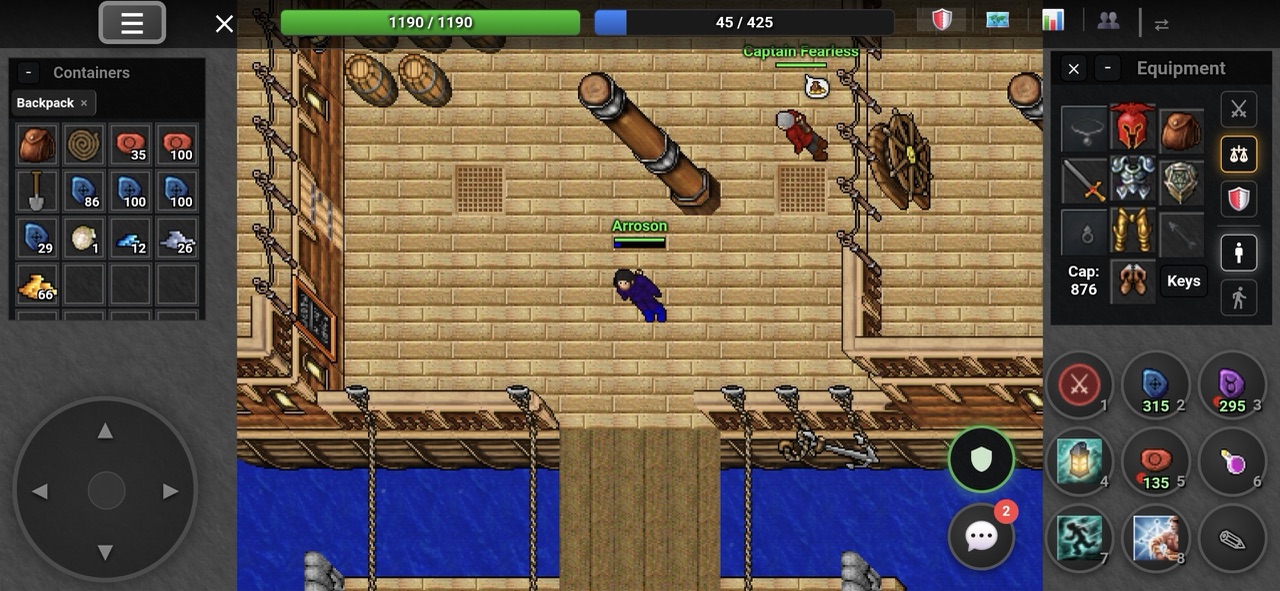
The interface was built for thumbs, not squeezed down from a PC client:
- Joystick: walk in eight directions.
- Tap a monster to attack it; the game checks the tiles around your tap.
- Double tap to use things: open bags, climb ladders, talk to NPCs.
- Long press and drag to move items between bags, the ground and your equipment.
- Hotbar: spells, runes, potions and food, one tap each.
04Best settings for your phone
- Pick an orientation per taskLandscape for hunting, portrait for sorting loot and chatting.
- Resize the joystick and hotbarMake them big enough that you never miss.
- Put healing on slot 1Your thumb finds it without looking.
- Add Attack Nearest MonsterOne tap targets the closest creature.
05Browser app vs APK
| Browser app | Random APK | |
|---|---|---|
| Installs from | Chrome | Unknown website |
| Updates | Automatic | Manual, if at all |
| Account safety | Yes | No |
| Works on iPhone too | Yes | No |
Swipe the table sideways on small screens.
FAQQuestions, answered
You say:Can I play Tibia on Android?
Guide:Not the official client. You can play a classic 7.6-style world that installs as an app from Chrome, TibiaME, or an OT server APK.
You say:Is there an official Tibia APK?
Guide:No. Any Tibia APK is unofficial.
You say:Does it work offline?
Guide:No. It is an online multiplayer game, so you need a connection. Wi-Fi or 4G both work.
You say:Can I keep my character when I switch to PC?
Guide:Yes. It is one account, so you can continue on your computer.